A new home for your plans
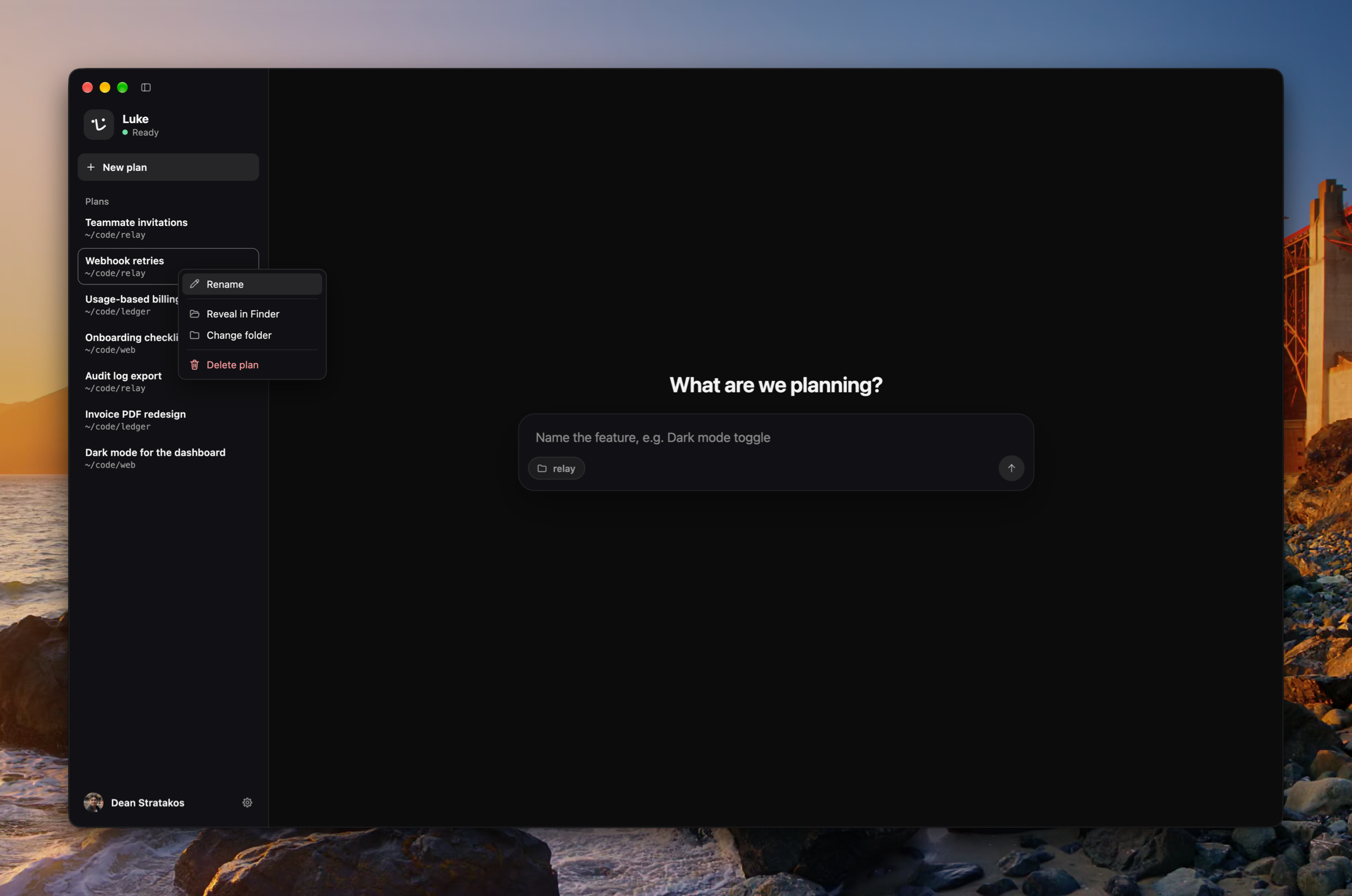
Luke opens on a composer for a new plan, beside a sidebar that lists your plans newest first. The sidebar resizes, folds away with ⌘B, and opens Settings from one account button at its foot. Rename a plan, or delete it after a standard confirmation, from one plan menu in the toolbar's ⋯ or a right-click in the sidebar. (#1826, #1827, #1831, #1835, #1836, #1842, #1847, #1856)
A side panel for the board, the code, and the transcript
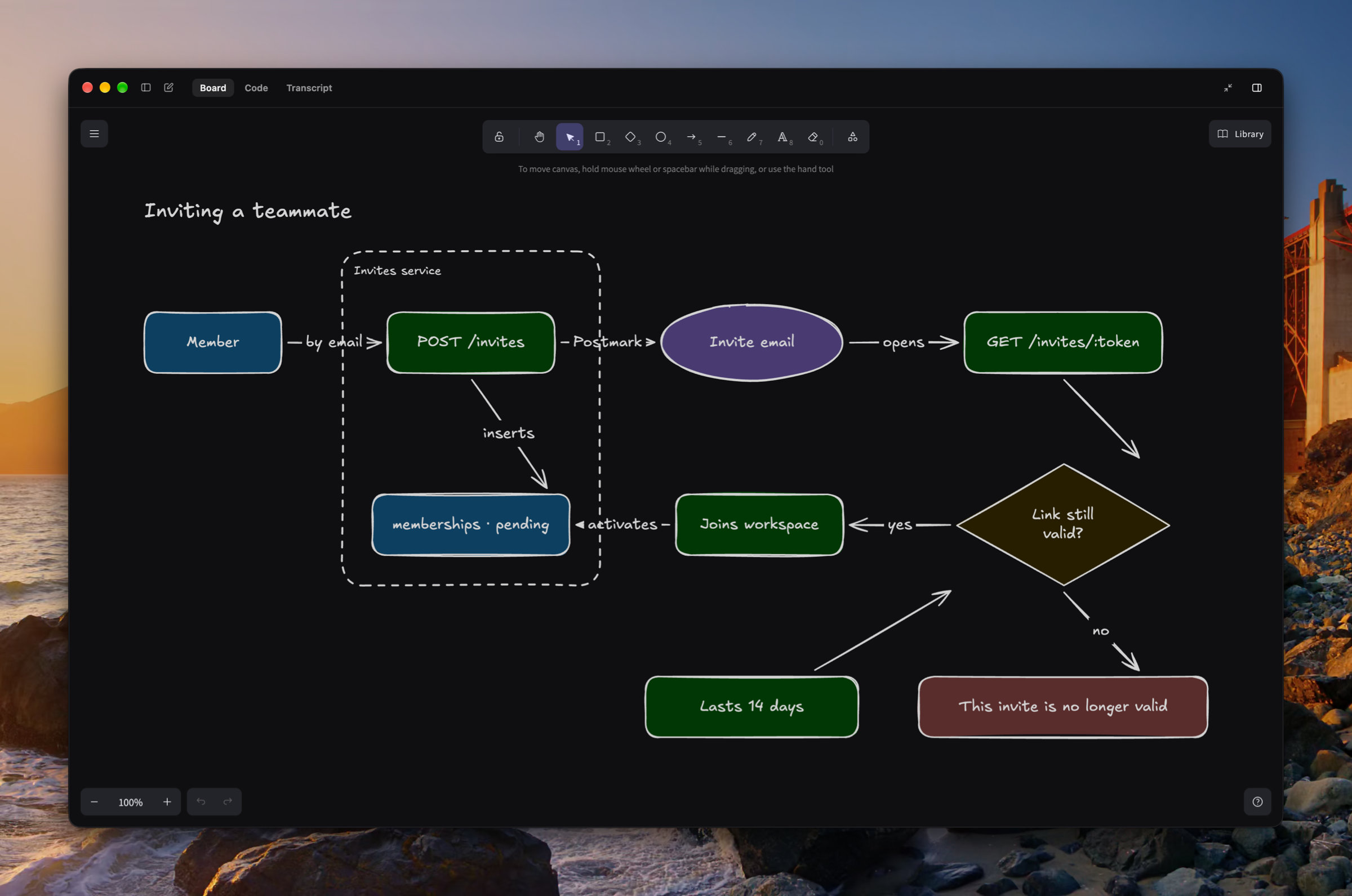
A plan's whiteboard, the code Luke shows, and the transcript of what was said now sit in a right side panel with tabs. The panel runs full height, goes full screen, and opens by itself the first time Luke draws or shows code in a plan. Luke draws on the whiteboard as he talks, lays it out by Excalidraw's guides, then looks at what he drew and fixes what he sees. (#1798, #1799, #1816, #1828, #1829, #1833, #1841, #1851, #1864, #1878)
Luke as a planning teammate
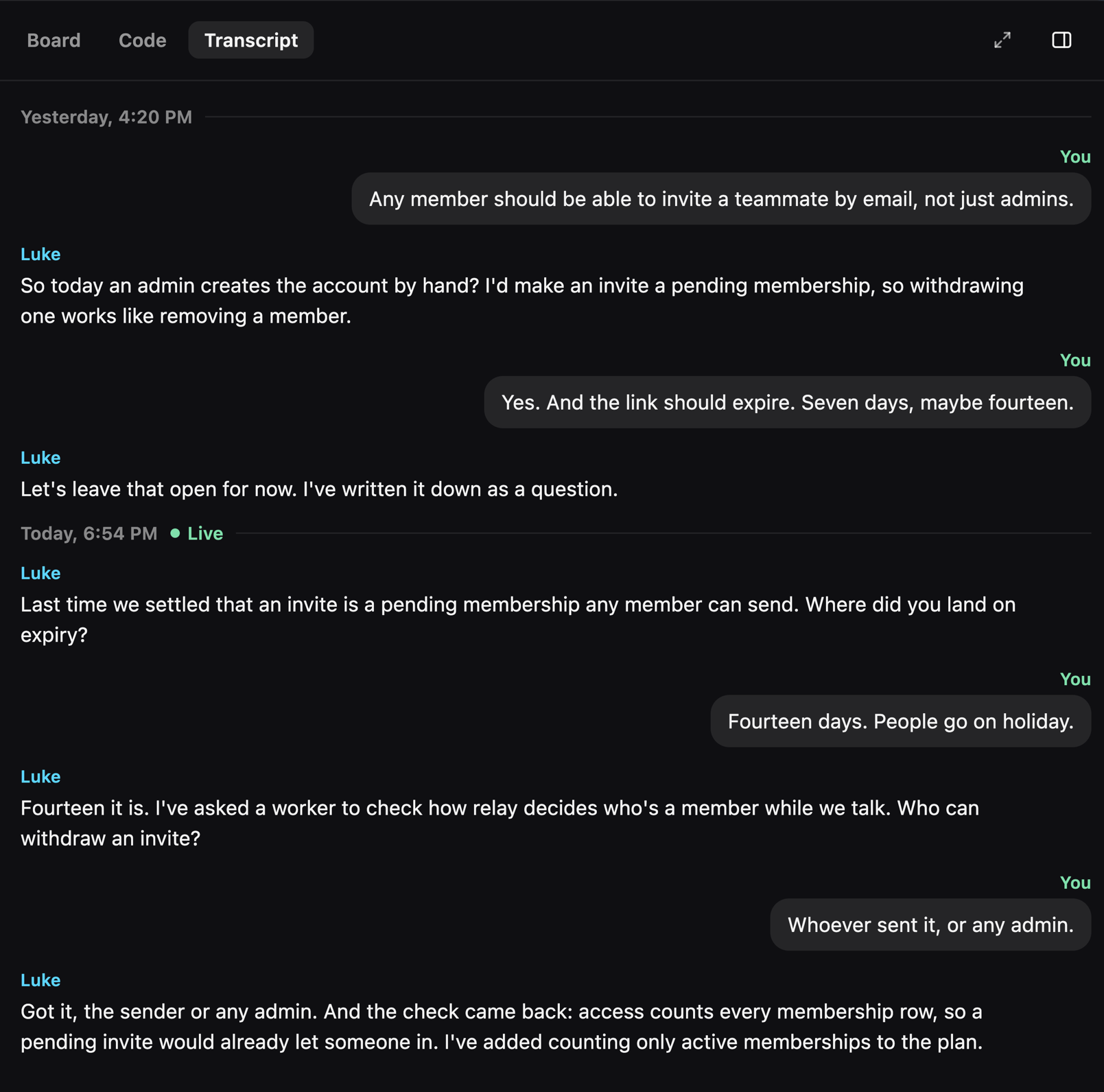
Luke plans with you rather than interviewing you: he takes notes live, doesn't assume you already know what you want to build, and opens each call on what was said on the plan's earlier calls. He hands slow work to a background worker and tells you its result at a natural pause, and Stop cancels that work too. (#1792, #1813, #1815, #1817, #1820, #1824, #1825)
Improvements
- Keyboard shortcuts cover the whole app and are listed in the menu bar (#1844)
- Settings has a search field, a Back button, and Reset to defaults beside the page title (#1838, #1848, #1859)
- Planning replies stream sentence by sentence, never ahead of what Luke has actually done (#1802)
- A planning call picks up where it left off after a lost connection (#1803)
- The stop key silences Luke at once (#1795)
- The sidebar and side panel open and close smoothly, and snap when you drag past their bounds (#1850)
- Usage is still counted, but there is no daily allowance anymore (#1860)
Fixes
- Fixed one call's end touching the next call (#1818)
- Fixed Markdown showing up in Luke's spoken replies (#1793)
- Fixed answers crossing between two actions run at the same time (#1873)
- Fixed Stop not reaching a planning turn (#1874)
- Fixed the voice losing track of a planning turn waiting on background work (#1875)
- Fixed the window scrolling sideways when the side panel opened on Luke's code (#1884)
- Fixed a fade band at the top of Settings pages (#1857)
- Fixed all-caps labels left in the app (#1865)